As an old owner who has driven the Wuling Starlight for over half a year, I received a pop-up on the car system as soon as I got in this morning—Ling OS 2.0 is coming! I originally thought it was just a routine minor optimization, but after a 30-minute upgrade, I realized this update had practically engraved the word "thoughtful" into everyday driving. Especially for a worker like me who squeezes through the morning and evening rush hours every day, every function hit exactly what I needed.
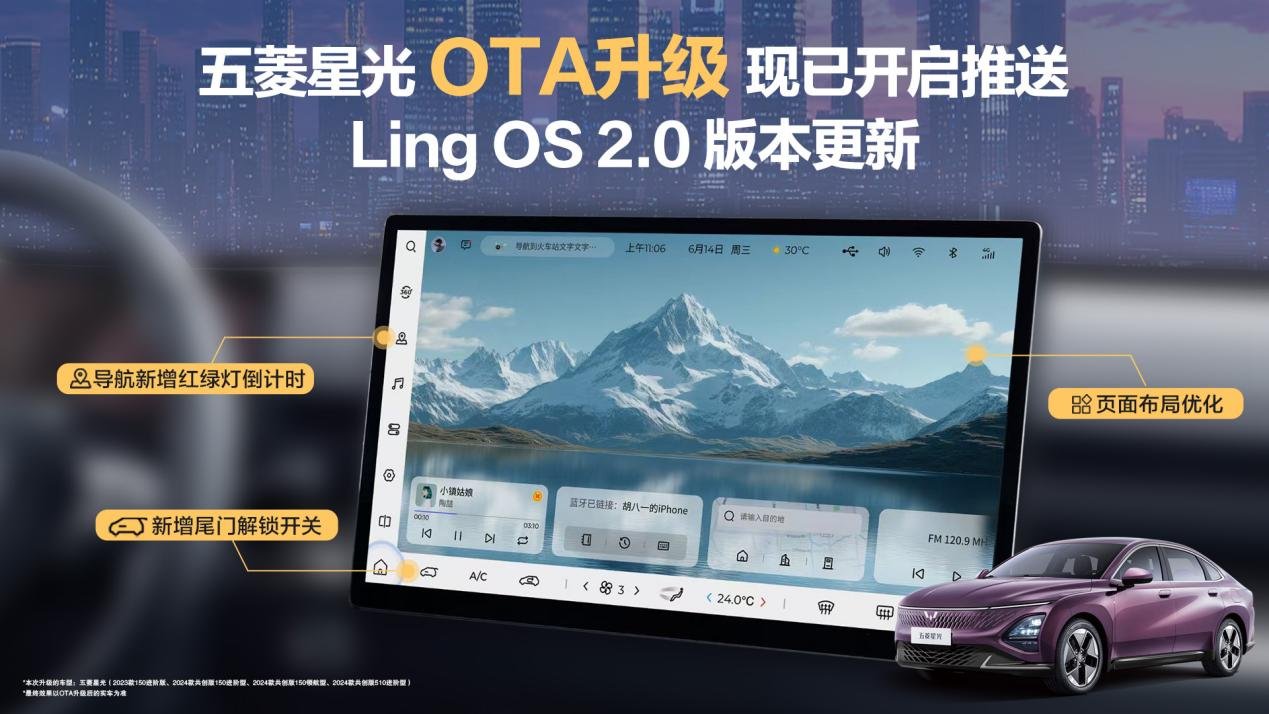
Let me start with the navigation upgrade that surprised me the most. Before, when waiting at a red light at an intersection, I always couldn't help craning my neck to look at the traffic signal, afraid of missing the green light and getting honked at by the car behind. Now the navigation directly shows the traffic light countdown, and even "how many seconds until it turns green" is clearly visible. Even better is the newly added "green wave guidance." Last time I took the ring road after work, the navigation prompted, "Maintain 40-65 km/h, and you can pass 3 green lights in a row." I tried driving at the recommended speed, and I actually got green lights the whole way without stopping, arriving home 10 minutes earlier than usual. That feeling of "a smooth drive all the way" is just so satisfying!
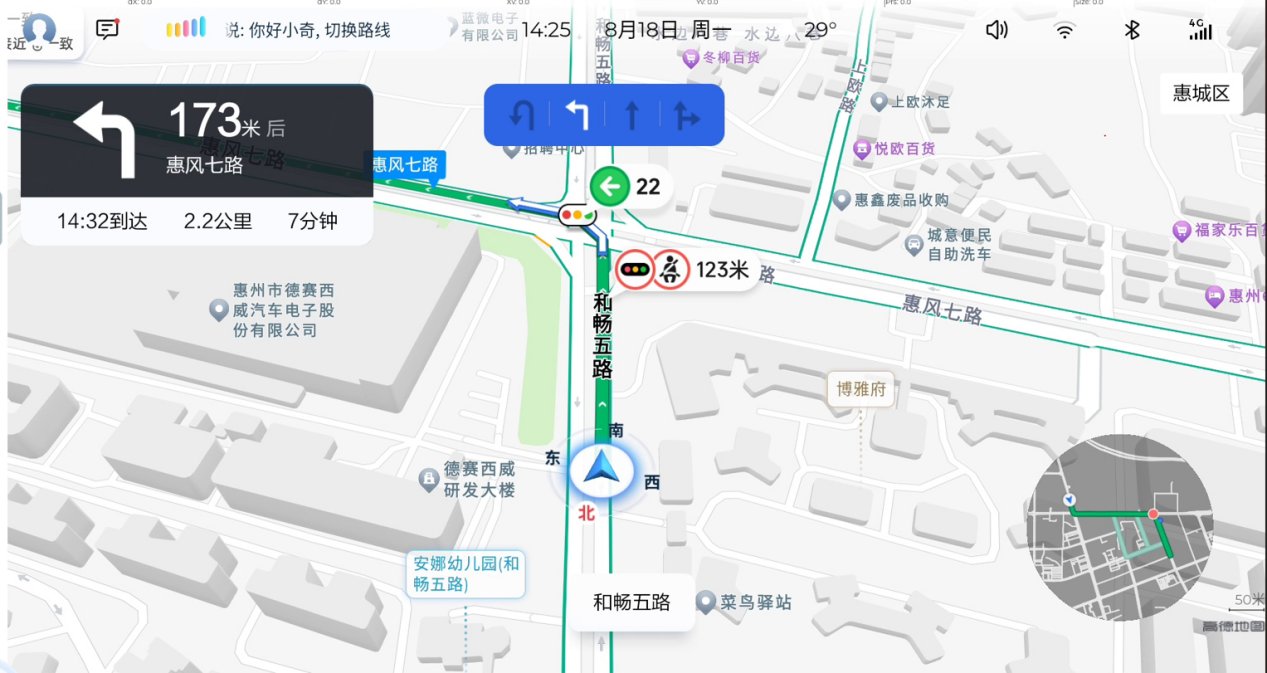
(Traffic light countdown)
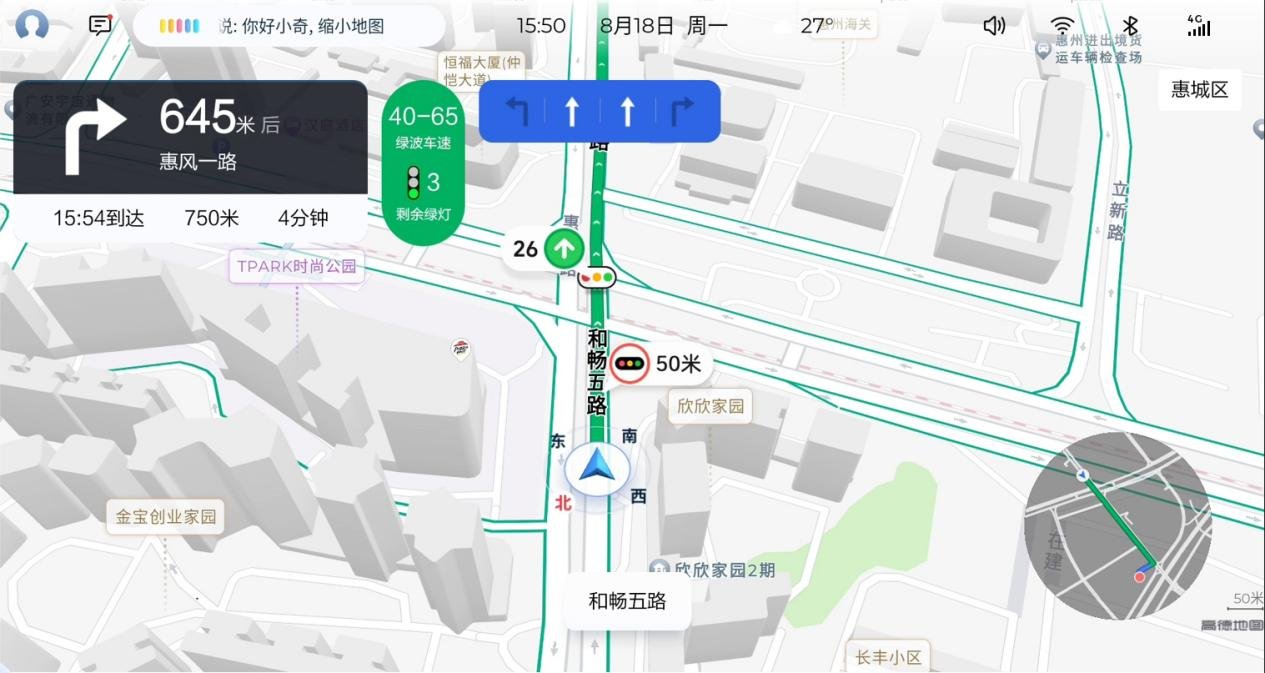
(Traffic light green wave guidance)
Guidance for complex road conditions has also been optimized. For example, at the fork near my home, during the morning rush hour only the left-turn lane can go straight. In the past, I was always afraid of remembering the restricted hours incorrectly and taking the wrong lane. Now the navigation directly marks, "7:00-9:00 left-turn lane can go straight," so I no longer have to stare at road signs and make nervous judgments. Another time, when driving at night on an unlit suburban road, when an oncoming car approached, the navigation suddenly popped up, "Oncoming vehicle on the curve ahead, please be careful and yield." Later I learned it was because both I and the oncoming car were logged into Amap accounts. This kind of safety reminder in the details really makes people feel reassured.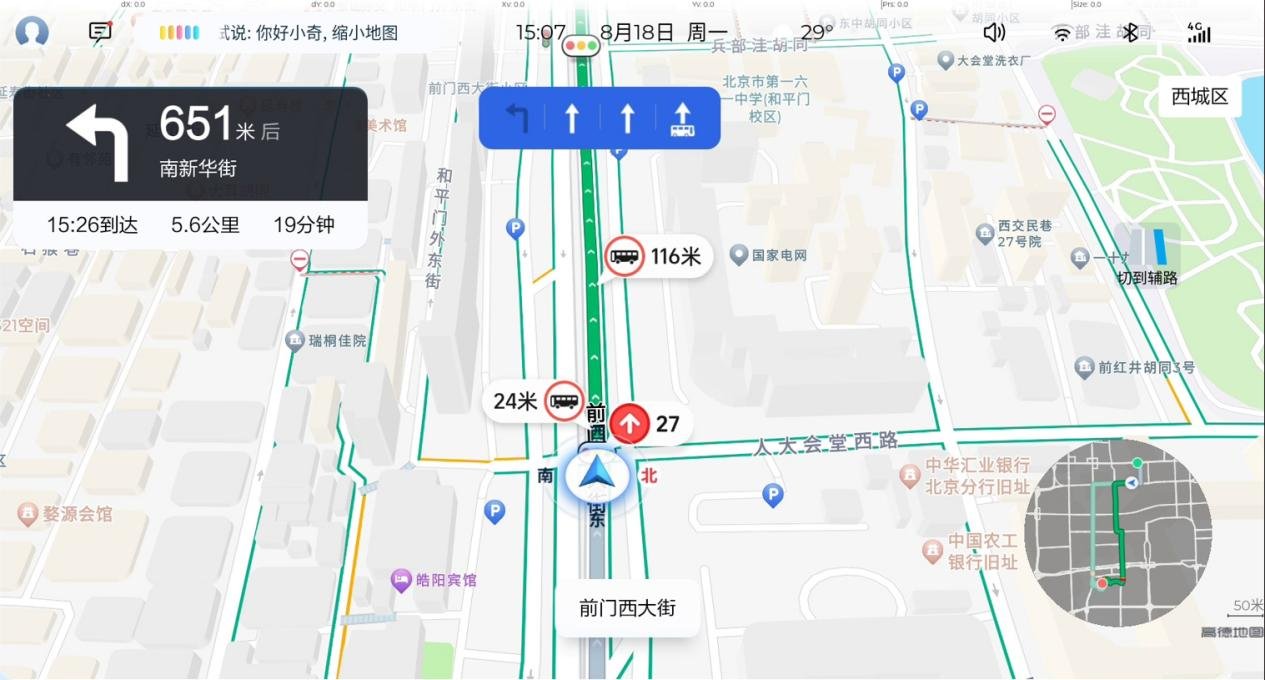
(Special lane lines at intersections support display by restricted time period)
Voice broadcasting is finally "not long-winded" anymore! Previously, navigation always announced unimportant information, such as "There is a convenience store 500 meters ahead," and sometimes it even interrupted me while I was on a call with a friend. This time, the newly added "minimal broadcast" mode is simply a lifesaver. It only reports turns and sudden traffic conditions, such as "Turn right in 300 meters" and "Traffic congestion ahead." It doesn't delay access to information and doesn't make people annoyed. Finding destinations is also more convenient. Last time I wanted to find a "charging station along the route," I directly said, "Hello Xiaoqi, search for charging stations along the route," and the navigation listed the charging piles along the way. It could also filter by "fast charging" and "free parking," saving much more effort than scrolling through the list myself.
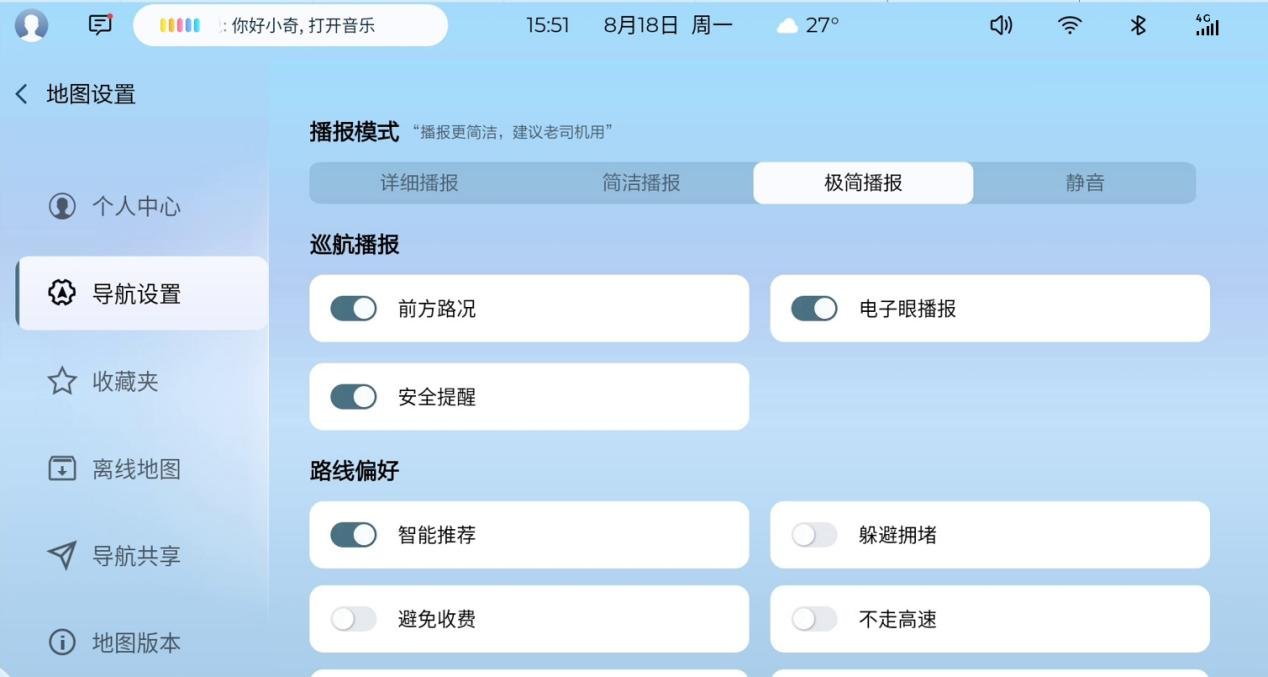
(Minimal broadcast)
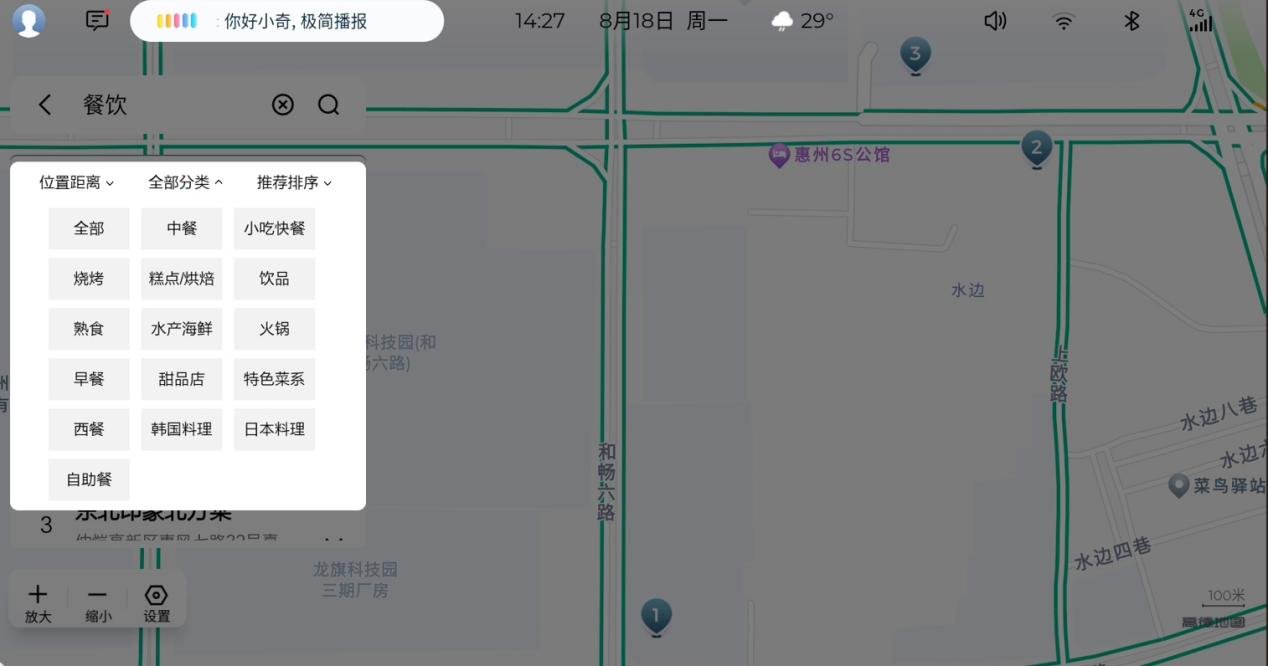
(Search result filtering)
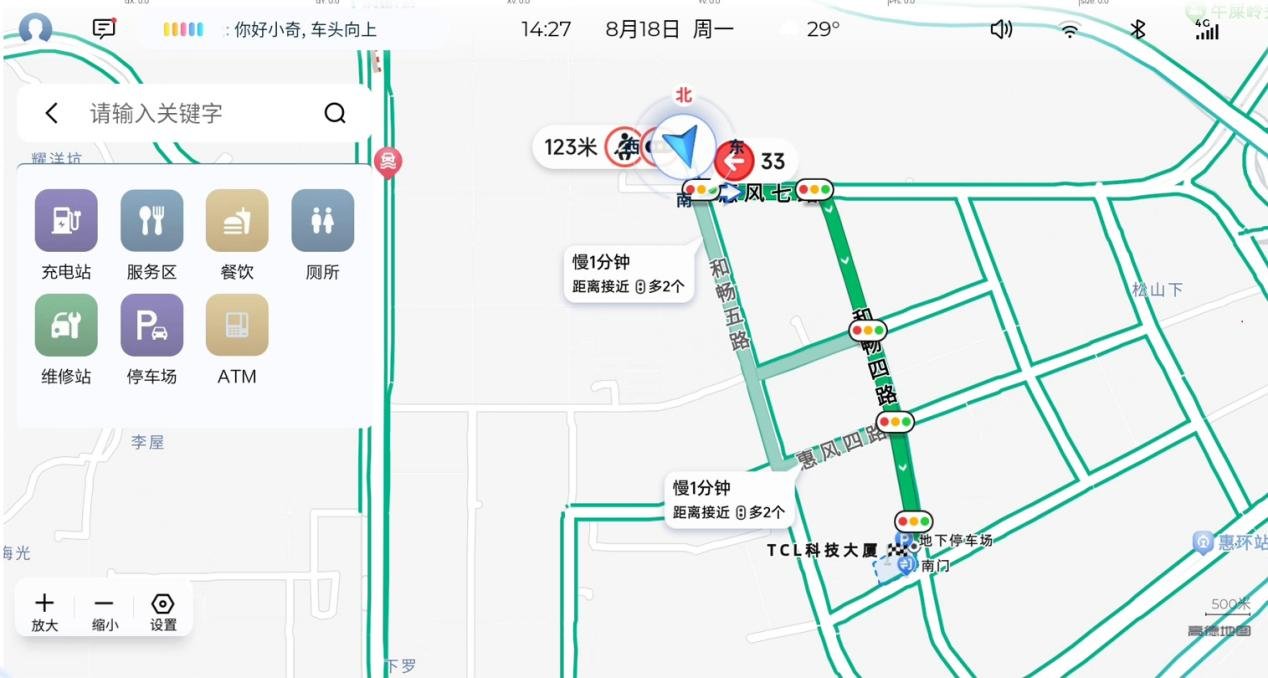
(Search along the route function)
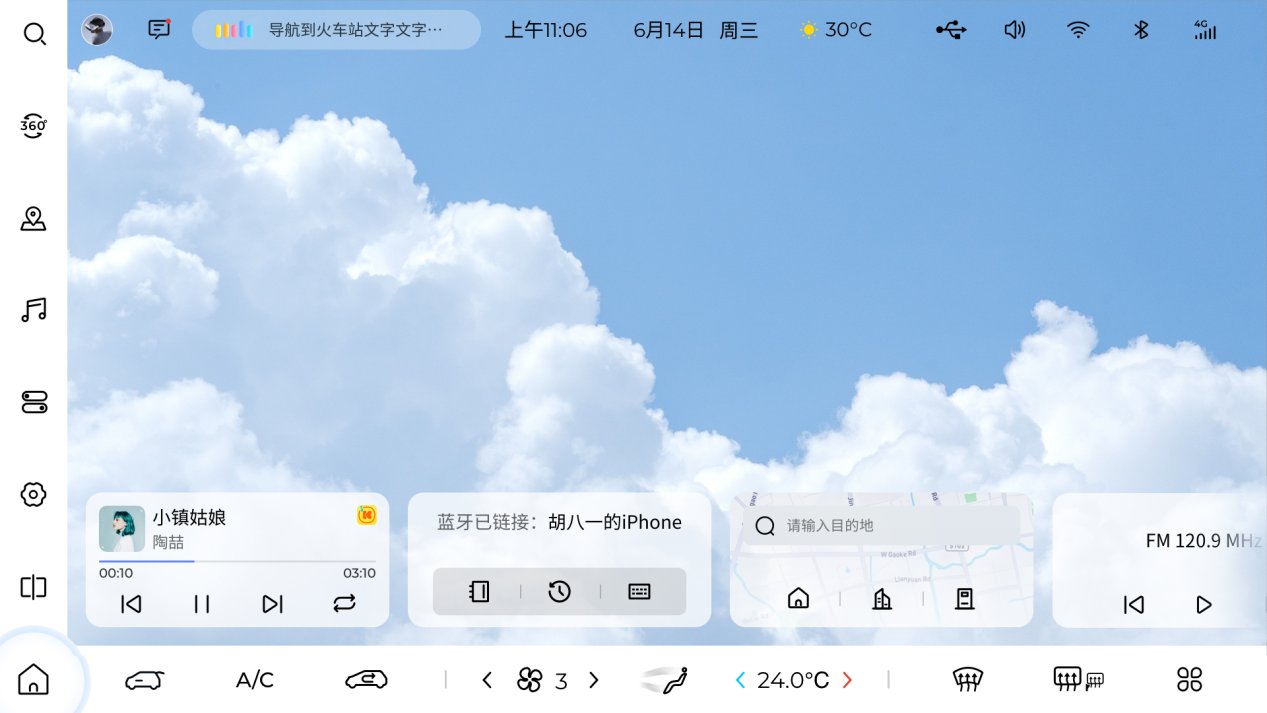
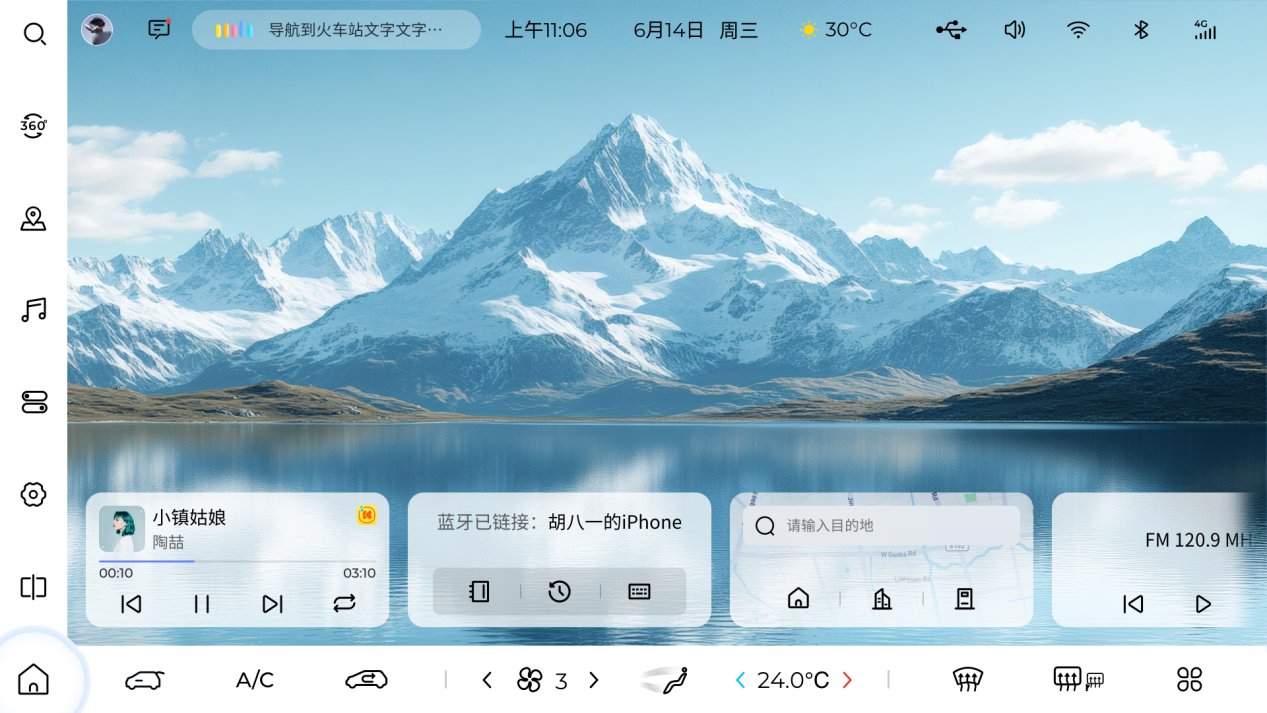
The car system interface also has a new style. The previous icons were a bit heavy, but now they have been changed to a fresh card-style layout, and the fonts are clearer, so I no longer have to squint at the screen while driving in the morning. The most practical thing is the desktop customization function. I put the frequently used "Navigation," "Music," and "Air Conditioning" at the bottom, so I can open them with one tap without searching through menus layer by layer. The wallpaper store is also online, with 8 built-in wallpapers in different styles. I even uploaded a photo of my daughter as the desktop wallpaper. Every time I get in the car and see it, I feel very warm. The setup is also simple. In "Mine," tap the settings in the upper right corner, scan the code, and you can upload a picture. Even my parents asked, "How did you get the photo into the car?"
.
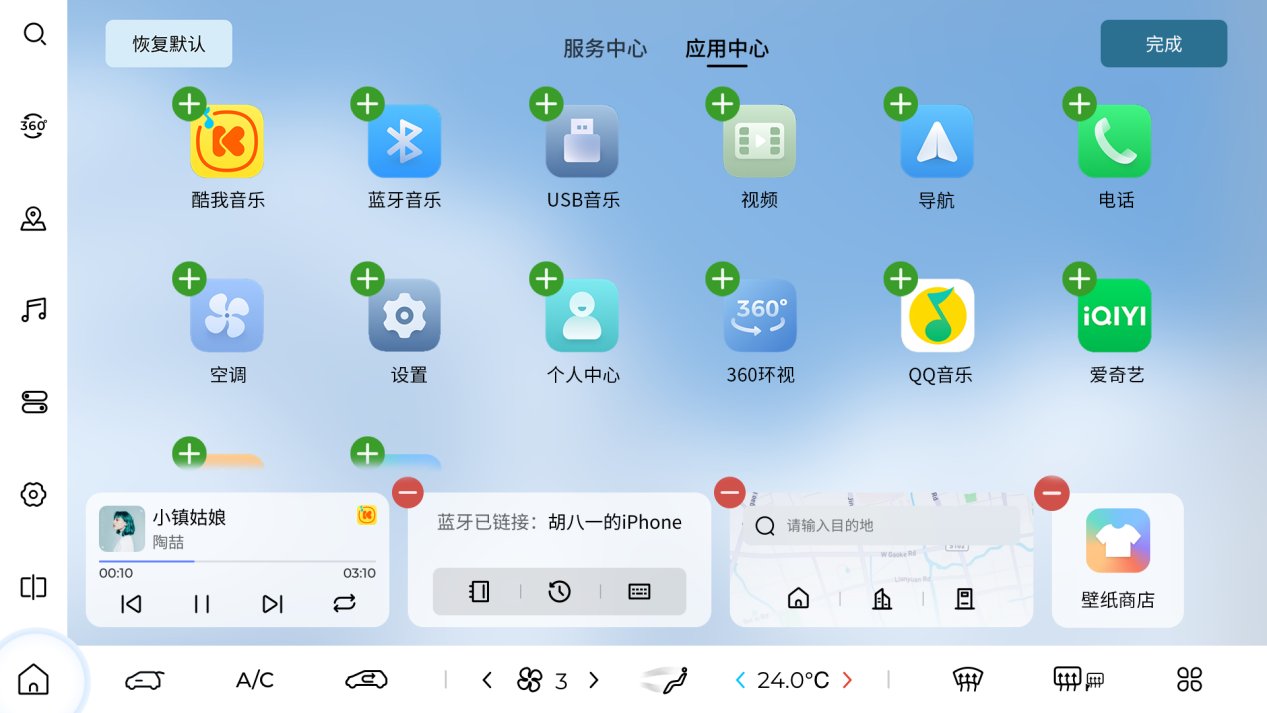
There is also a small detail I must praise—the tailgate unlock switch has finally been added to the bottom menu bar! Before, when my hands were full of packages, I had to take out the key and press unlock, and sometimes the key was still buried in my bag and I had to search for ages. Now I just lightly tap "Tailgate Unlock" on the screen, and the trunk pops open. On rainy days or when both hands are full, it really saves a lot of trouble. This kind of "from the user's perspective" design is much more practical than flashy features. Newly added tailgate unlock switch: This upgrade integrates an intuitive tailgate control button into the bottom menu bar. Users only need to lightly tap the screen to quickly unlock the tailgate, eliminating the cumbersome steps of traditional physical button operation or searching for the key. This design not only greatly improves convenience but is especially practical in scenarios such as carrying items with both hands or in rain and snow.
Actually, when I first chose the Wuling Starlight, it was because of its solid range and sufficient space. This OTA upgrade made me feel the surprise of "it can keep getting better after you buy it." I heard the 2025 model has already been launched, and placing an order still comes with a "seven-fold gift." Several colleagues around me asked for the link after watching my car system demo. After all, who wouldn't be tempted by a car that can solve the little pain points of daily commuting one by one?
If you also want to try the experience after this upgrade, just confirm the pop-up on the car system to upgrade, or log into the Wuling Auto APP to book a test drive. Believe me, take a drive yourself, and you will fall in love with this "increasingly understands you" driving experience just like I did~